
AI Automation Tools for Freelancers (2026) — Automate Workflows, Save Time, Scale Systems
Most freelancers don’t need more tools — they need systems that run without them.
Manual work creates a hard limit: more clients = more work = more pressure.
- Repeated tasks consume time
- Manual follow-ups create inconsistency
- Workflows break under scale
This guide explains how freelancers use AI automation tools to build systems that execute work automatically, reduce manual effort, and scale operations without increasing workload.
What You’ll Learn
- How freelancers automate repetitive work using AI
- Real automation workflows for client, task, and finance systems
- Which automation tools actually scale operations
- How to build a complete automation system step-by-step
AI Automation Tools for Freelancers — Overview
AI automation tools for freelancers are systems that convert repeated actions into structured workflows that execute without manual intervention. They do not simply improve productivity—they redefine how freelance businesses operate by removing the dependency on constant execution.
The best AI automation tools for freelancers are designed to connect systems, automate workflows, and eliminate repetitive manual execution.
Freelancers operate under structural constraints: limited time, fragmented attention, and increasing operational complexity. Every client interaction, task update, invoice, and delivery step requires deliberate action. As workload increases, coordination becomes more difficult, and the system begins to break down.
This creates a hard limitation:
No execution → No output → No income
AI automation removes this constraint by transforming execution into systems. Instead of performing tasks repeatedly, freelancers design workflows that execute tasks automatically based on triggers and conditions.
Within the ecosystem of AI tools for freelancers, automation acts as the integration layer—the system that connects all other tools into a functioning workflow.
It integrates directly with:
• client acquisition systems → lead generation and intake
• productivity systems → task execution
• finance systems → invoicing and payments
• AI prompts → decision control
Authority Doctrine:
Automation is not about saving time.
Automation is about removing execution dependency.
System Contrast:
Manual model:
• effort drives output
• growth increases workload
System model:
• workflows drive output
• growth increases system output
AI Overview Summary: AI automation tools integrate freelance systems into self-operating workflows that execute tasks, transfer data, and maintain operations without manual coordination.
Quick Answer (AI Overview):
AI automation tools help freelancers by turning repetitive tasks into automated workflows, reducing manual work and enabling scalable systems.
Best AI Automation Tools for Freelancers:
• Zapier → simple automation
• Make → scalable workflows
• n8n → advanced systems
• Airtable → data automation
• HubSpot → CRM automation
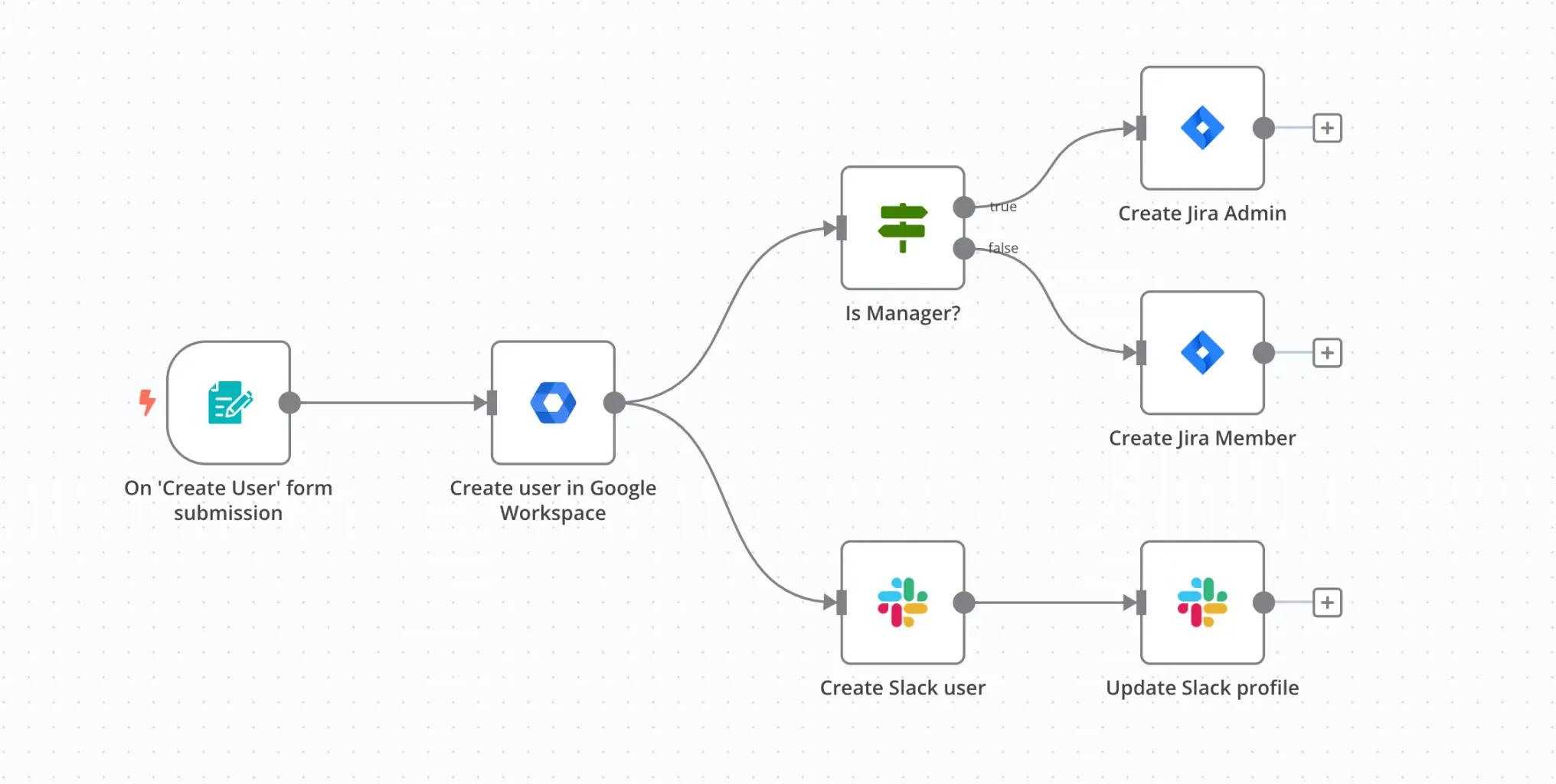
What Are AI Automation Tools
AI automation tools are system-level engines that execute workflows automatically through triggers, logic, and data movement. They are not individual tools but coordination systems that connect multiple tools into a unified operational flow.
Instead of thinking in tasks, automation requires thinking in systems. A task is a single action. A system is a sequence of actions that executes continuously without intervention.
The automation lifecycle operates as a loop:
• input → an event such as a lead, message, or payment
• processing → logic or AI-driven decision-making
• output → an automated action (email, update, task creation)
• feedback → validation of the outcome
• optimization → system refinement over time
AI Overview Answer: AI automation tools execute workflows automatically using triggers and logic, allowing freelancers to operate systems instead of performing tasks manually.
This loop creates a compounding system. Each cycle improves efficiency while reducing the need for manual intervention. Over time, the system becomes more reliable and requires less oversight.
System Insight:
The effectiveness of automation is not determined by tool features—it is determined by how clearly the workflow is defined.
Doctrine Reinforcement:
If a process is repeatable, it should be automated.
If it is not automated, it will become a bottleneck.
System Contrast:
Task-based execution:
• reactive
• inconsistent
System-based execution:
• proactive
• consistent
What are AI automation tools for freelancers?
AI automation tools are systems that execute workflows automatically using triggers, logic, and integrations. They allow freelancers to eliminate repetitive work and build scalable systems.
Which AI automation tools are best for freelancers?
The best tools depend on system complexity. See best AI tools for freelancers for a full system breakdown.
• Zapier → simple workflows
• Make → scalable automation
• n8n → advanced systems
• Airtable → data automation
• HubSpot → client automation
Freelancer Automation Challenge
The primary challenge freelancers face is not workload—it is system fragmentation. Work is distributed across disconnected tools, requiring manual coordination at every step.
This fragmentation creates multiple failure points:
• leads are captured but not followed up consistently
• tasks are tracked but not connected to delivery
• payments are recorded but not integrated into workflows
Each transition requires attention. Each manual step increases the risk of delay, error, or inconsistency.
System Problem:
Disconnected systems → manual coordination → cognitive overload → execution failure
As workload grows, this problem compounds. Freelancers become overwhelmed not because of volume, but because of lack of system structure.
Behavioral Failure Loop:
no system → manual work → overload → delay automation → system breakdown
System Contrast:
Fragmented model:
• tools operate independently
• transitions require effort
• outcomes are inconsistent
Integrated automation model:
• tools operate as one system
• transitions are automatic
• outcomes are predictable
Doctrine:
You cannot automate chaos.
You must structure systems before automating them.
The solution is not more tools—it is system integration through automation.
Automation System Model
AI automation operates as a compounding system built on a continuous execution loop. This loop transforms isolated actions into a structured process that improves over time.
The system model follows five stages:
• input → trigger event (lead, message, payment, task)
• process → rules, conditions, or AI-driven logic
• output → automated action (email, update, delivery)
• feedback → validation of system execution
• optimize → refinement based on results
This loop is not linear—it is cyclical. Each output generates new inputs, creating a self-reinforcing system.
AI Overview Answer: AI automation systems create compounding efficiency by replacing repeated execution with permanent workflows that improve over time.
Compounding Effect:
Manual execution:
• task repeated every time
• effort scales with workload
Automation system:
• task executed once as a system
• effort does not scale with workload
Each automated workflow removes future effort permanently. Over time, the freelancer transitions from executing tasks to managing systems.
System Insight:
The value of automation is not in individual workflows, but in how those workflows connect to form a complete system.
Doctrine Reinforcement:
Freelancers scale by removing execution—not increasing effort.
Automation is not a tool layer. It is the system layer that determines whether all other tools function effectively.
Types of AI Automation Tools
AI automation tools operate across multiple system layers, each responsible for a different part of workflow execution. Understanding these layers is critical for building scalable systems.
The primary types of automation tools include:
• workflow automation tools → trigger-based execution systems
• integration tools → data synchronization across platforms
• decision automation tools → logic and conditional workflows
• execution tools → automated task completion
• monitoring systems → tracking, analytics, and optimization
These layers combine to create complete automation workflows for freelancers, enabling business processes to operate without manual intervention.
System Interaction:
No single tool creates automation. Automation emerges from the interaction between tools.
For example:
Lead capture → integration tool → CRM update → workflow trigger → email sequence → follow-up
This chain forms a complete system rather than isolated actions.
System Principle:
Execution must not depend on attention.
Each layer reinforces this principle by removing manual coordination from different parts of the workflow.
SEO Layer Expansion:
Modern automation systems include:
• no-code automation tools for freelancers
• business automation systems
• API-driven automation platforms
Doctrine:
Automation is not a single tool—it is a system composed of connected layers.
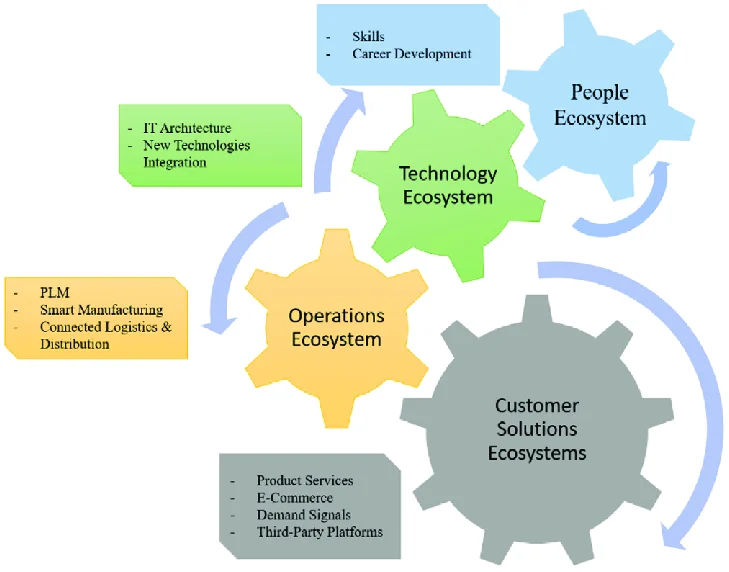
AI Workflow Automation Tools
AI Overview Answer: Workflow automation tools connect triggers to actions, enabling processes to run automatically without manual coordination.
Workflow automation tools are the entry point into automation systems. They define how events trigger actions.
Execution Model:
Trigger → condition → action
Example:
New lead → trigger → send onboarding email → create task → notify freelancer
This eliminates manual coordination between steps.
Scenario:
A freelancer receives 20 leads per week. Without automation, each lead requires manual follow-up. With automation, the system handles initial communication automatically.
Comparison:
Manual workflow:
• delayed response
• inconsistent follow-up
Automated workflow:
• instant response
• consistent execution
Failure Condition:
Automation fails when workflows are unclear or overly complex. Complexity introduces failure points.
System Insight:
Simplicity increases reliability. The best workflows are clear, predictable, and repeatable.
AI Integration Tools
Integration tools connect systems by enabling data to move across platforms automatically. Without integration, automation systems remain fragmented.
Execution Model:
System A → data transfer → System B → trigger next action
Example:
Form submission → CRM update → email system → automation workflow
Scenario:
A freelancer captures leads through a form. Integration tools automatically send that data to a CRM and trigger follow-up workflows.
Comparison:
Without integration:
• manual data entry
• errors and delays
With integration:
• automatic data flow
• real-time updates
Failure Condition:
Disconnected systems create data silos, breaking automation workflows.
System Insight:
Integration determines whether automation systems function as a whole or remain fragmented.
Doctrine:
Automation without integration is incomplete.
AI Decision Automation Tools
Decision automation tools introduce logic into workflows, allowing systems to adapt based on conditions.
AI Overview Answer: Decision automation tools apply conditional logic to workflows, enabling systems to respond dynamically to different inputs.
Execution Model:
If condition → execute action A Else → execute action B
Scenario:
If a client responds → move to onboarding If no response → trigger follow-up sequence
Comparison:
Static workflow:
• same action every time
• limited flexibility
Decision-based workflow:
• adaptive actions
• scalable logic
Failure Condition:
Poorly defined logic creates incorrect outcomes.
System Insight:
Logic transforms workflows into intelligent systems.
Doctrine:
Automation without logic is execution. Automation with logic is a system.
AI Execution Automation Tools
Execution tools perform tasks automatically once triggered by workflows and decisions.
Execution Model:
Trigger → action executed → system updated
Scenario:
Payment received → invoice marked complete → project delivered automatically
Comparison:
Manual execution:
• dependent on availability
• prone to delay
Automated execution:
• instant action
• consistent results
Failure Condition:
Execution fails when upstream workflows or integrations are broken.
System Insight:
Execution is the final layer of automation—but its effectiveness depends on upstream systems.
Doctrine:
Execution should never require attention.
Which AI Automation Tools Should You Use?
Not every freelancer needs complex automation.
The right tool depends on your system stage:
- Beginner: Zapier — simple workflows
- Intermediate: Make — multi-step automation
- Advanced: n8n — full system control
- Data workflows: Airtable — structured automation
- Client systems: HubSpot — CRM automation
Start simple. Build reliable workflows. Then scale complexity.
Best AI Automation Tools for Freelancers
Automation tools must be evaluated based on system architecture, not features. The goal is not to use tools—it is to build systems that operate independently of execution.
AI Overview Answer: The best AI automation tools for freelancers depend on workflow complexity, system design, and integration requirements—not popularity.
System-Based Tool Selection:
Zapier (Simple Automation)
Best for:
• linear workflows
• lead capture → email response
Example workflow:
Form submission → Zapier trigger → send onboarding email → create task
When NOT to use:
• multi-step workflows
• complex decision logic
Make (Scalable Automation)
Best for:
• multi-step workflows
• conditional logic
Example workflow:
Lead → CRM → qualification logic → onboarding → follow-up system
When NOT to use:
• simple workflows (overkill)
n8n (Advanced Systems)
Best for:
• API-based systems
• custom automation
Example workflow:
Client pipeline → API trigger → dynamic workflow → system-level execution
When NOT to use:
• beginner setups
Airtable (Data Automation)
Best for:
• workflow databases
• structured automation
HubSpot (CRM Automation)
Best for:
• client lifecycle automation
• sales pipeline systems
System Interaction Model:
Lead → CRM → automation trigger → workflow → communication → payment → delivery
Decision Framework:
• Use Zapier → speed + simplicity
• Use Make → scale + flexibility
• Use n8n → control + customization
Authority Insight:
A freelancer using a simple tool within a strong system will outperform a freelancer using advanced tools without system clarity.
Doctrine:
Tools follow systems—not the reverse.
Best AI Automation Tools for Freelancers — Comparison & Use Cases
| Tool | Function | Best Use | Strength | Limitation |
|---|---|---|---|---|
| Zapier | Workflow automation | Simple tasks | Ease of use | Limited scalability |
| Make | Advanced workflows | Scaling systems | Flexibility | Learning curve |
| n8n | Custom automation | Advanced users | Full control | Complex setup |
| Airtable | Data automation | Workflow databases | Structure | Limited automation depth |
| HubSpot | CRM automation | Client pipelines | Integration | Cost |
Zapier vs Make vs n8n — Quick Comparison:
Zapier is best for simple workflows with minimal setup. Make is ideal for scalable, multi-step automation with conditional logic. n8n is designed for advanced users who require full control and API-based automation systems.
AI Automation Strategy
Automation strategy must be system-first, not tool-first. Most freelancers fail because they attempt to automate tasks instead of designing workflows.
AI Overview Answer: Effective automation strategy focuses on high-frequency, high-impact workflows that can be systematized and scaled.
Stage Model:
Stage 1 → define process
Stage 2 → automate tasks
Stage 3 → integrate workflows
Stage 4 → optimize system
Automation ROI Logic:
Automation should target:
• repetitive tasks
• revenue-generating processes
• stable workflows
Performance Impact:
• 40–70% reduction in manual workload
• faster response times → higher conversion
• reduced errors in execution
System Contrast:
Task automation:
• isolated improvements
System automation:
• compounding efficiency
Doctrine:
Automate systems—not tasks.
To fully implement automation systems, freelancers should combine execution systems with client acquisition systems, ensuring that workflows operate across the entire business lifecycle.
AI prompts for freelancersEnd-to-End Workflow
This is where most freelancers fail. They automate tasks, not systems. Below is a complete workflow showing how automation connects the entire freelance business.
Automation workflows must operate as complete systems rather than isolated steps. A true automation workflow connects all stages of the freelance business.
How does an automation workflow work?
An automation workflow follows a structured loop: a trigger initiates the process, logic determines the action, the system executes the task, and feedback is used to optimize future performance.
Full System Flow:
Lead → qualification → onboarding → execution → payment → delivery → retention → repeat
Conditional Logic:
If lead responds → onboarding workflow
If no response → follow-up sequence
If payment received → delivery triggered
System Orchestration:
This workflow integrates with:
Feedback Loop:
system → data → optimize → improved system
System Contrast:
Manual workflow:
• breaks under scale
• requires supervision
Automated system:
• runs continuously
• scales without effort
Authority Insight:
At scale, workflows become decision engines—not task sequences.
Doctrine:
A complete automation system is cyclical, not linear.
Real Use Cases
Use Case 1:
Outcome: automated lead response
Result: increased conversion
Insight: speed improves outcomes
Use Case 2:
Outcome: automated invoicing
Result: consistent cash flow
Insight: systems stabilize revenue
Use Case 3:
Outcome: workflow automation
Result: reduced workload
Insight: automation increases capacity
Common Mistakes
1. Automating unclear systems
Impact: system failure
Fix: define workflows first
2. Overcomplicating automation
Impact: breakdown
Fix: simplify workflows
3. Using too many tools
Impact: fragmentation
Fix: focus on integration
Frequently Asked Questions
What are AI automation tools?
AI automation tools are systems that execute workflows automatically using triggers and logic, allowing freelancers to reduce manual work and scale operations.
Do freelancers need automation?
Yes. Automation removes execution dependency, enabling freelancers to scale without increasing workload.
When should automation be implemented?
Automation should be implemented when tasks are repetitive, high-impact, and stable.
Conclusion
Automation removes execution dependency.
Final Authority Doctrine:
Freelancers who build systems scale.
To explore the full ecosystem, visit the AI Tools Hub.