
Best AI Tools for Freelancers (2026) — Automate Work, Earn More, Scale Faster
Most AI tool lists are useless. They show random apps without explaining how freelancers actually use them to save time, increase income, and build scalable systems.
This guide is different.
- Real AI tools freelancers actually use
- How to combine tools into workflows
- Systems that increase income — not just productivity
Freelancers manage multiple responsibilities at once: client communication, project delivery, research, documentation, marketing, scheduling, and financial tracking. Unlike traditional businesses, independent professionals often operate without dedicated teams or administrative support.
Artificial intelligence tools help freelancers handle these responsibilities more efficiently by automating repetitive work, improving productivity, and simplifying complex workflows.
Today many freelancers rely on AI-powered platforms to generate content, organize projects, automate tasks, and track financial activity. These tools can significantly reduce operational friction and allow freelancers to focus more time on high-value work such as strategy, creativity, and client delivery.
This guide explores the best AI tools for freelancers and explains how they support productivity, automation, project management, and financial operations.
Freelancers rarely rely on a single tool. Instead, they combine multiple AI platforms into integrated systems that support daily work. For a broader overview of how these tools connect together, explore the AI Tools Hub for Freelancers, which organizes AI software into productivity, automation, finance, and business growth systems.
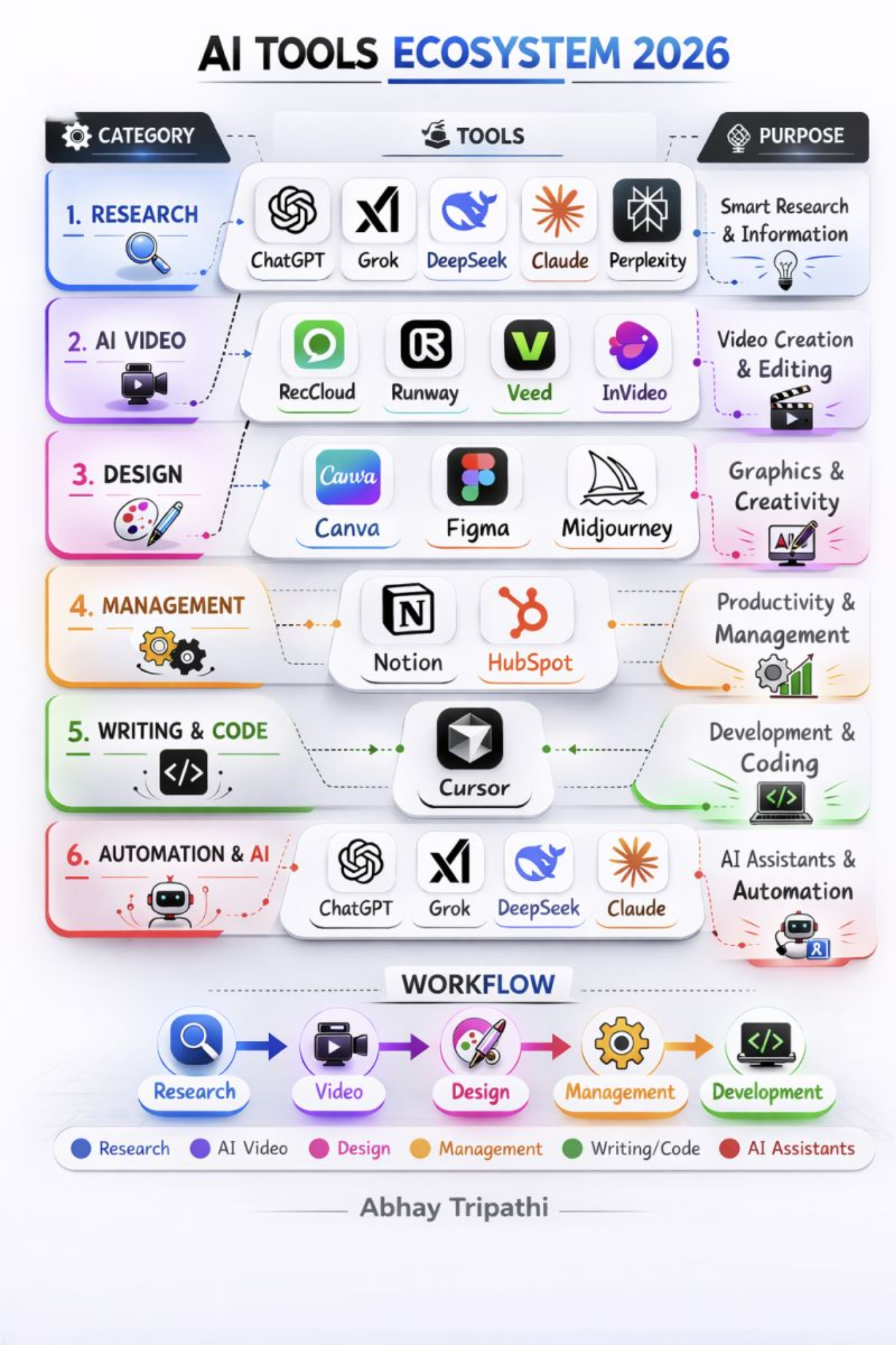
What You’ll Learn
- How freelancers automate daily work using AI
- Real workflows combining multiple AI tools
- Which tools actually increase income (not just save time)
- How to build a simple AI-powered freelance system
Quick Overview of AI Tools for Freelancers
The best AI tools for freelancers help automate writing, organize projects, connect workflows, and manage finances. Instead of relying on many disconnected apps, freelancers typically combine a small set of tools that support productivity, automation, scheduling, and financial tracking.
- ChatGPT — AI writing assistant for research, brainstorming, and content creation
- Notion AI — productivity workspace for documentation, project management, and knowledge organization
- Motion — AI scheduling tool that automatically plans tasks and deadlines
- Zapier — automation platform that connects apps and automates repetitive workflows
- QuickBooks — accounting software used by freelancers to manage invoices and expenses
- Canva AI — design tool for creating graphics, presentations, and marketing materials
These tools form the foundation of many AI-powered freelance workflows and help independent professionals manage projects, automate work, and run their businesses more efficiently.
AI Tools Are Not Apps — They Are Systems
Most freelancers use AI tools individually. High-performing freelancers combine them into systems.
Instead of using tools randomly, they build workflows that connect writing, project management, automation, and finance into a single operating system.
This is the difference between using AI and building a scalable freelance business.
What Are AI Tools for Freelancers?
AI tools for freelancers are software platforms that use artificial intelligence to automate tasks, generate content, analyze information, and organize workflows. These tools rely on technologies such as machine learning, natural language processing, and automation engines to perform tasks that traditionally required significant manual effort.
For independent professionals, AI tools function like digital assistants. They can draft written content, summarize research, generate ideas, organize project information, schedule tasks, and even automate business processes. This capability makes them particularly valuable for freelancers who must manage both client work and business operations on their own.
Unlike traditional productivity software, AI-powered platforms can understand context and respond intelligently to instructions. For example, a freelancer might ask an AI assistant to summarize research, draft a proposal, or generate marketing copy. Instead of performing repetitive steps manually, the AI tool produces an initial version that can be refined and customized.
Common capabilities of AI tools used by freelancers include:
- content generation for emails, blog posts, and proposals
- research summarization and knowledge extraction
- automated scheduling and calendar planning
- workflow automation between applications
- task prioritization and project management support
- financial data analysis and expense tracking
These technologies allow freelancers to operate more efficiently while maintaining control over their workflows. By integrating AI tools into daily operations, freelancers can reduce administrative workload and concentrate on delivering high-quality work to clients.
Why Freelancers Use AI Tools
Freelancers must manage many responsibilities simultaneously. In addition to delivering client work, they often handle project planning, marketing, documentation, communication, and financial management.
This combination of creative and operational tasks can create a heavy workload. AI tools help freelancers streamline these responsibilities by automating repetitive processes and improving workflow organization.
Some of the most common reasons freelancers adopt AI tools include:
- automating documentation and administrative tasks
- generating first drafts of content and proposals
- summarizing research and analyzing information
- organizing projects, tasks, and deadlines
- connecting software platforms through automation
- tracking income, invoices, and business expenses
For example, a freelance consultant might use ChatGPT to brainstorm project ideas, Notion AI to organize client notes, Motion to schedule deadlines, Zapier to automate administrative workflows, and QuickBooks to manage financial records.
By combining these tools strategically, freelancers create a workflow that reduces repetitive work while improving overall productivity.
Categories of AI Tools for Freelancers
AI tools used by freelancers typically fall into several categories depending on the type of tasks they support. Understanding these categories helps freelancers build a balanced workflow instead of relying on too many overlapping tools.
AI Writing and Research Tools
Writing and research tools help freelancers generate content, summarize information, and develop ideas. Writers, marketers, and consultants often use these tools to draft articles, emails, reports, or social media content.
AI Productivity and Project Management Tools
Productivity tools help freelancers manage projects, tasks, and documentation. These platforms often combine note-taking, task management, and collaboration features into a single workspace.
Many freelancers also rely on specialized AI productivity tools for freelancers to manage tasks, documentation, and project workflows.
AI Scheduling Tools
Scheduling tools automatically organize calendars and prioritize tasks. They help freelancers manage deadlines efficiently while balancing multiple client projects.
AI Automation Tools
Automation tools connect different software platforms and automate repetitive processes. For example, freelancers can automatically create tasks when emails arrive, send notifications when projects are completed, or sync data between applications.
AI Finance Tools
Finance tools help freelancers manage invoices, expenses, and financial records. Proper financial organization is essential for freelancers because they must track income and prepare tax records independently.
These categories form the foundation of a modern freelance workflow. Instead of treating each tool as an isolated application, freelancers often combine tools from multiple categories to build a connected system that supports productivity, automation, and business management.
Best AI Tools for Freelancers
ChatGPT
ChatGPT is one of the most widely used AI assistants for freelancers. It helps generate written content, summarize research, brainstorm ideas, and assist with problem solving.
- AI writing and editing
- research summaries
- brainstorming assistance
- content generation
Freelancers often choose ChatGPT because it can generate content drafts, summarize research, and help brainstorm ideas quickly. This makes it especially useful for writers, marketers, consultants, and other professionals who rely on written communication.
Notion AI
Notion AI combines documentation, project management, and knowledge organization into a single workspace.
- AI writing assistance
- task management
- project databases
- knowledge management
Notion AI is popular among freelancers because it combines documentation, task management, and project organization into a single workspace. Many freelancers use it as a central knowledge hub for managing client work and research notes.
Motion
Motion is an AI-powered scheduling and task management platform designed to help freelancers manage their time more effectively.
- AI scheduling
- task prioritization
- deadline tracking
- meeting organization
The software automatically schedules tasks based on deadlines and priorities. If a freelancer’s schedule changes, Motion dynamically rearranges tasks to maintain productivity.
Zapier
Zapier is a powerful automation platform that connects thousands of applications.
- app integrations
- workflow automation
- trigger-based processes
- cross-platform automation
Zapier is widely used by freelancers to automate repetitive workflows between apps. For example, freelancers can automatically create tasks from emails, send notifications when forms are submitted, or sync data between tools.
Automation tools like Zapier allow freelancers to build powerful integrations between their favorite apps. Instead of manually transferring data between platforms, workflows can run automatically in the background. Over time, these automations save hours of administrative work and help freelancers maintain organized systems.
Automation platforms such as Zapier allow freelancers to connect multiple apps and eliminate repetitive work. For a deeper look at automation platforms, see our guide to AI automation tools for freelancers .
QuickBooks
QuickBooks helps freelancers manage accounting, invoices, and financial tracking.
- invoice creation
- expense tracking
- financial reporting
- tax preparation tools
QuickBooks is commonly used by freelancers to manage invoices, track expenses, and monitor business finances. It simplifies bookkeeping and helps freelancers maintain clear financial visibility.
Canva AI
Canva AI provides AI-powered design tools that help freelancers create visual content quickly.
- AI design generation
- image editing tools
- visual templates
- presentation design
Freelancers often use Canva AI to design marketing graphics, social media visuals, and client presentations without needing advanced design software.
AI Tools Comparison
| AI Tool | Category | Best For |
|---|---|---|
| ChatGPT | AI Writing | Content generation and research |
| Notion AI | Productivity | Project organization |
| Motion | Scheduling | Automated task planning |
| Zapier | Automation | Workflow integrations |
| QuickBooks | Finance | Accounting and financial tracking |
| Canva AI | Design | Visual content creation |
How to Choose the Right AI Tool for Freelancers
The best AI tools for freelancers depend on the type of work you do and the systems you want to improve. Instead of choosing tools randomly, freelancers benefit from selecting platforms that support specific parts of their workflow such as writing, project management, automation, or financial tracking.
A useful approach is to start by identifying the most time-consuming tasks in your freelance business. For example, writers and marketers often benefit from AI writing assistants, while consultants and project managers may prioritize productivity platforms and documentation tools.
- Choose AI writing tools if your work involves content creation, research, or communication.
- Choose productivity tools if you need help organizing tasks, projects, and documentation.
- Choose automation tools if you want to connect apps and eliminate repetitive manual work.
- Choose finance tools if you need better visibility into invoices, expenses, and cash flow.
Many freelancers combine several AI platforms into a small integrated tool stack. For example, a freelancer might use ChatGPT for writing, Notion AI for organizing projects, Zapier for workflow automation, and QuickBooks for financial tracking. This type of structured tool stack helps freelancers manage work efficiently without relying on dozens of disconnected applications.
Example AI Workflow for Freelancers
This is where most freelancers fail. They use tools individually instead of building connected workflows. Below is a real example of how AI tools work together as a system.
Freelancers often combine several AI tools for freelancers into a workflow that supports research, project management, automation, and financial operations.
These tools form part of the broader AI tools ecosystem that helps freelancers streamline work and manage freelance businesses more efficiently.- Research and writing → ChatGPT
- Project organization → Notion AI
- Scheduling and task management → Motion
- Workflow automation → Zapier
- Financial tracking → QuickBooks
For instance, a freelance marketer might start a new project by researching industry topics and generating campaign ideas with ChatGPT. The ideas and notes can then be organized inside Notion AI, where project documentation and task lists are maintained.
Next, tasks and deadlines can be scheduled automatically through Motion, ensuring the project stays on track. Meanwhile, Zapier can automate notifications between apps, such as sending a Slack message when a new task is created or storing client submissions in a shared database.
Finally, when the project is completed, QuickBooks can be used to generate an invoice and track payment. This connected workflow demonstrates how multiple AI tools can operate together as a unified freelance operating system.
This type of integrated system is part of the broader AI Tools Hub , where freelancers can explore additional tools and workflows.
Real Freelancer Use Cases for AI Tools
Freelancers use AI tools in many different ways depending on their profession and workflow. Instead of replacing human work, artificial intelligence tools typically automate repetitive tasks and support decision-making across freelance business systems.
Content Creation Workflows
Freelance writers and marketers often use AI writing assistants such as ChatGPT or Claude to brainstorm ideas, summarize research, and generate first drafts. These tools help speed up the writing process while allowing freelancers to focus on editing, strategy, and original insights.
Project Management and Organization
Productivity platforms like Notion AI and ClickUp help freelancers organize projects, track tasks, and maintain documentation. Many freelancers use these tools as a central knowledge hub for client work, project notes, and research materials.
Automation and Workflow Integration
Automation tools such as Zapier and Make allow freelancers to connect different applications and automate repetitive tasks. For example, a freelancer might automatically create tasks when a client submits a form or send notifications when a project milestone is completed.
Financial Management
Accounting tools like QuickBooks or FreshBooks help freelancers track income, manage invoices, and monitor expenses. When combined with automation platforms, financial tools can help freelancers maintain clear visibility into their business finances.
By combining AI writing tools, productivity platforms, automation software, and financial systems, freelancers can build structured workflows that support efficient freelance business operations.
Common Mistakes When Choosing AI Tools
- using too many tools that perform similar tasks
- adopting tools without clear workflow planning
- paying for multiple subscriptions unnecessarily
- failing to integrate tools into a unified system
Freelancers should start with a small, integrated tool stack and gradually expand it as their workflow becomes more sophisticated.
Recommended AI Tool Stack for Freelancers
A practical AI tool stack can support most freelance workflows while remaining manageable.
- Writing and research → ChatGPT
- Project management → Notion AI
- Scheduling → Motion
- Automation → Zapier
- Finance management → QuickBooks
This combination covers the most important operational systems that freelancers rely on: content creation, project organization, time management, automation, and financial tracking.
Explore More AI Tools for Freelancers
Stop using random tools. Start building a system that saves time and increases income.
Explore the full AI Tools Hub for Freelancers to build your complete workflow.
Frequently Asked Questions
What are the best AI tools for freelancers?
Some of the most popular AI tools freelancers use include ChatGPT for writing and research, Notion AI for productivity, Motion for scheduling, Zapier for automation, QuickBooks for finance, and Canva AI for design.
Do freelancers need AI tools?
AI tools are not required, but they can significantly improve productivity by automating repetitive tasks and simplifying complex workflows.
Can AI tools replace freelancers?
AI tools are designed to support freelancers rather than replace them. They automate routine work so freelancers can focus on strategic and creative tasks.
How many AI tools should freelancers use?
Most freelancers benefit from using a small stack of three to five tools that integrate well together rather than relying on many separate platforms.
Choosing the Right AI Tools
The best AI tools for freelancers are those that support structured workflows rather than adding unnecessary complexity.
A carefully selected system of writing tools, productivity software, automation platforms, and financial tools can significantly improve freelance efficiency.
To explore the full ecosystem of AI tools for independent professionals, visit the AI Tools Hub.